
The Problem With Normal Website Feedback
Owners and operators do not usually need another comment box. They need review notes that can be fixed.
Most website feedback arrives with the useful part missing. Someone says a button looks wrong, a section feels cramped, or a form is hard to use. The note may be accurate, but the team still has to ask the same questions: which page, what browser, what screen size, how far down the page, and which exact element?
That is where time disappears. A page can look fine on a laptop and break on a tablet. A form can behave differently in one browser. A call-to-action can overlap only after the user scrolls to a specific section.
What The Reviewer Experiences
The reviewer should not have to write a technical bug report. They point at the page or the element, add the note, and attach an image when it helps. The tool stays lightweight because the reviewer's job is only to describe what they saw.
The heavier work happens behind the scenes. OCFeedback preserves the details that make the note useful after the reviewer has moved on.
What The Record Carries
A feedback record can carry practical evidence that a normal form never sees:
- page URL, page title, and normalized page key
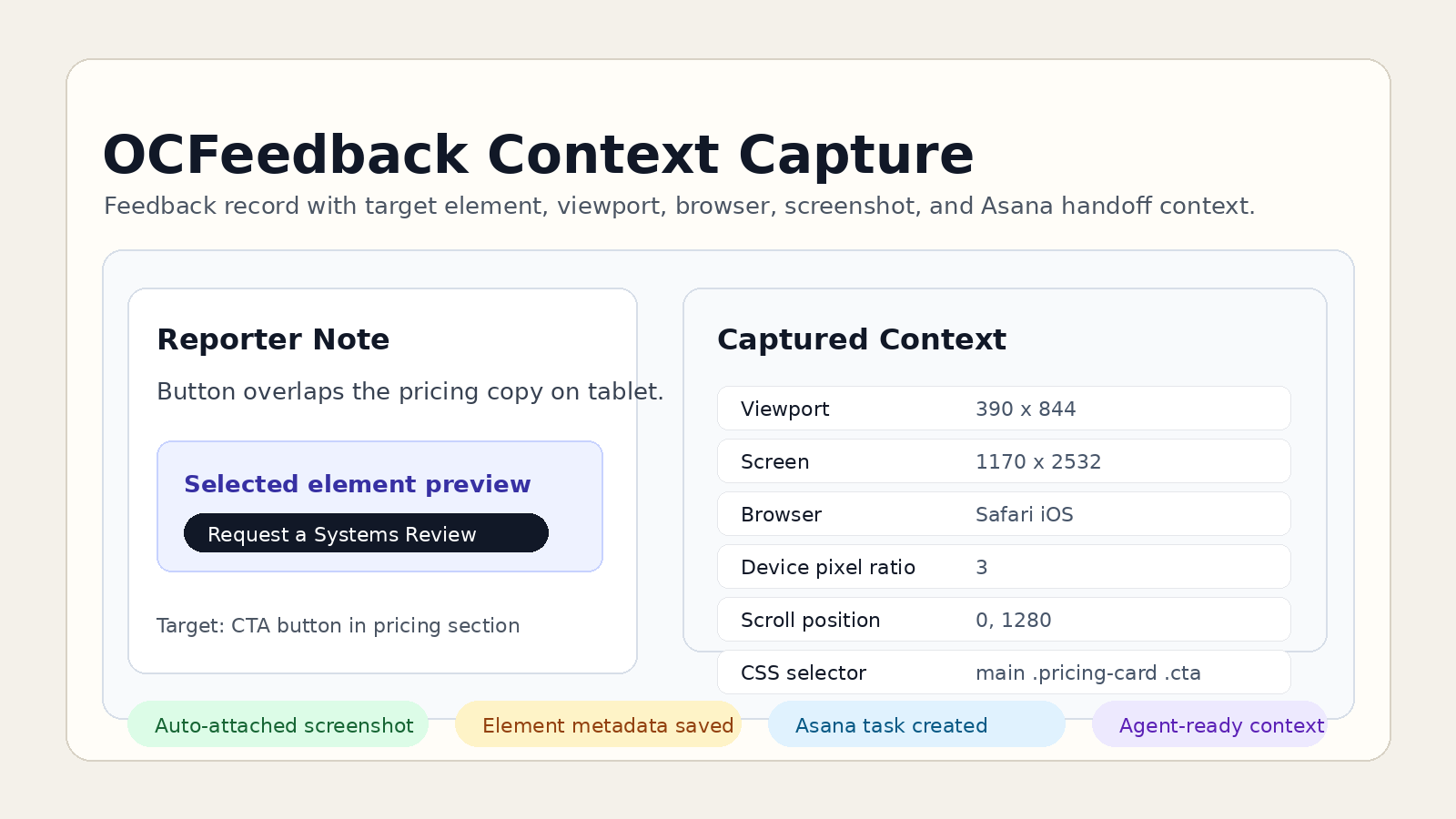
- viewport size, screen size, scroll position, device pixel ratio, language, timezone, referrer, and browser user agent
- selected element label, DOM path, CSS selector, XPath hint, text excerpt, classes, bounding box, and nearby heading context
- Elementor context when the issue is tied to a page-builder section or widget
- selected-element preview, viewport screenshot, uploaded image, or pasted image
- Asana task context so the feedback can move through the normal work queue
The client does not need to read all of that. The point is that the person fixing the issue can see it.
Why This Is Better Than A Form
A form can collect a comment. It does not know what the reviewer was looking at. Analytics can tell you that people visited a page. It still cannot tell you which button the reviewer meant or what the screen looked like when they saw the problem.
OCFeedback treats feedback as an operating record, not just a message. The front end stays simple. The backend record gives the site team enough evidence to reproduce, assign, and close the issue without turning every note into a small investigation.
The Benefit For Owners
The value is not the widget. The value is fewer vague tickets, fewer follow-up messages, and cleaner handoff from review to implementation.
A designer can see what the reviewer meant. A developer can reproduce the likely conditions. An owner can track the issue through Asana without losing the original evidence. A team member can pick up the task later and still see the target, screenshot, selector hints, viewport, and browser details.
Where This Applies
This pattern fits website QA, client review rounds, admin-screen cleanup, Elementor page reviews, checkout testing, form testing, and operational app feedback. Anywhere feedback is tied to what someone saw on screen, the screen context matters.
The point is not to make feedback complicated. The point is to make feedback simple for the reviewer while giving the backend workflow enough evidence to move.
The Decision Rule
If the reviewer only needs to send a message, a contact form is enough. If the team needs to understand the exact screen, element, browser context, screenshot, and follow-up task state, the feedback workflow has become an app.